Case management for digital forensics and incident response
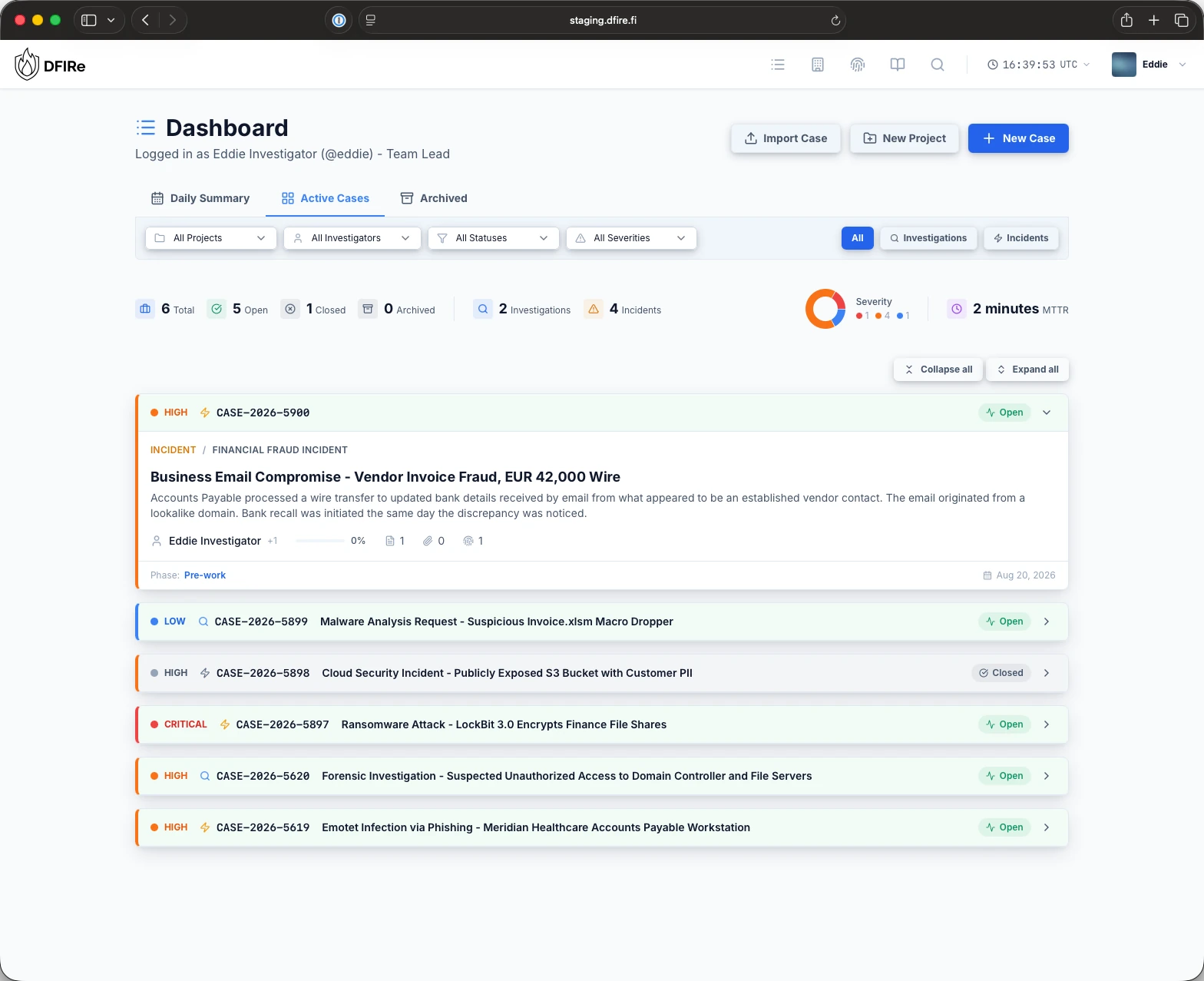
DFIRe keeps cases, evidence with chain of custody, indicators, regulatory deadlines and reports in one place. It runs on your own infrastructure, with no seat limits and no vendor access.
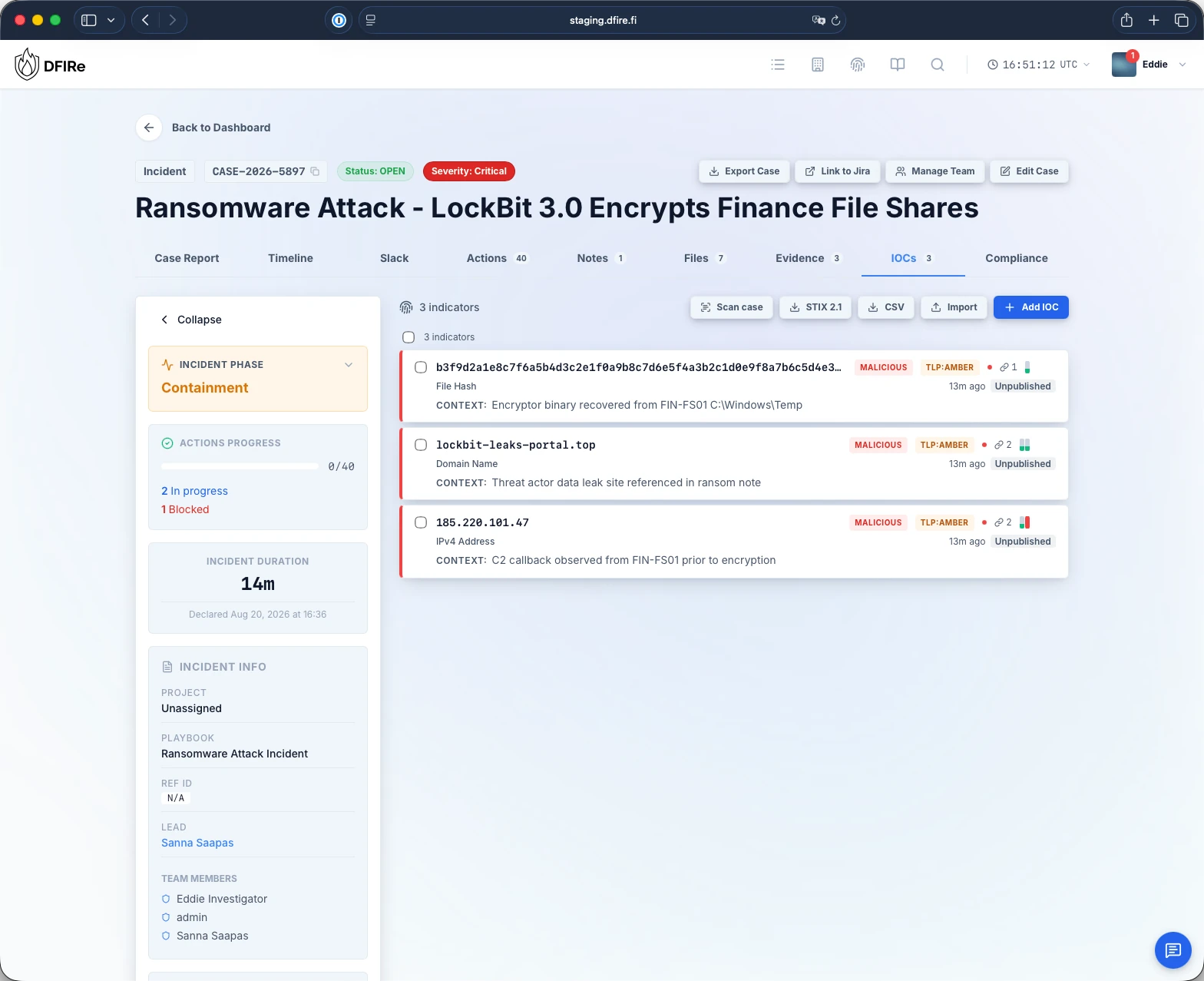
C2 callback observed from FIN-FS01 before encryption
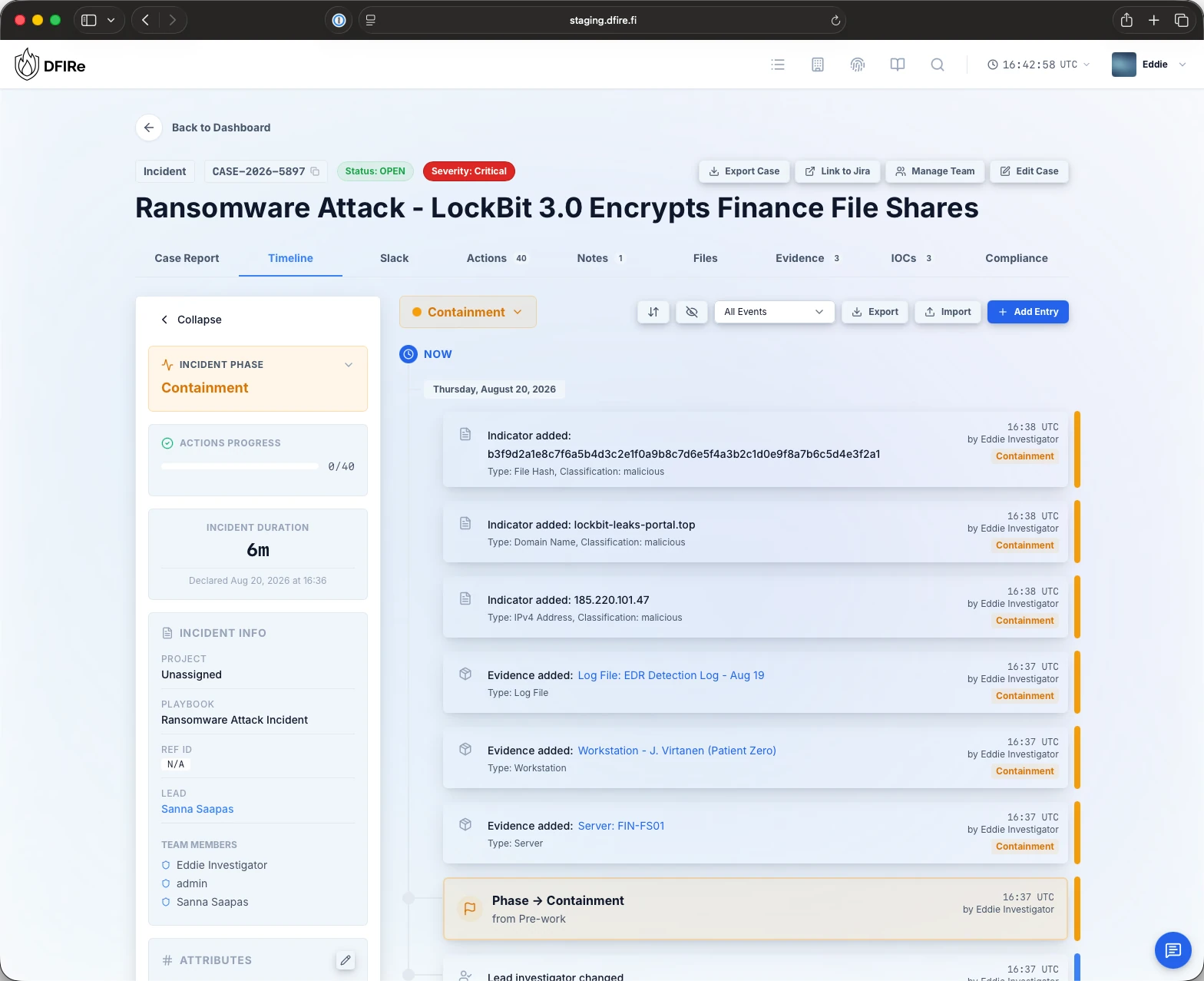
Phase changed to Containment
16:37 UTC by Eddie Investigator
Exhibit 01dashboard-light.webp
Unlimited
users and cases on one licence
15
default playbooks to start from, and no limit on your own
12
enrichment providers, called with your own API keys
90
day trial with every feature included
01How a case runs
From first alert to final report.
Follow one ransomware incident through DFIRe. Most of the team's time goes into three places: the actions, the timeline and the report. All three work from the same case record.
CriticalDeclare
Open the case and declare the incident.
A responder opens the case, or an integration opens it through the API. The playbook for the case type adds its fields and the actions for each phase, and the incident clock starts.
The playbook fills the Actions tab with the response steps for each phase. Start from one of the fifteen default playbooks, edit it, or build your own.
Assign each action to an investigator, or to a team or an outside organisation.
Block an action with a note on what it waits on. It keeps its phase open until it moves.
Mark it done and post the completion note to the timeline.
Case ReportTimelineActions 40NotesEvidenceIOCsCompliance
Actions progress13 / 40Add Action
Mark doneResetBlock known attacker C2 infrastructure at perimeterContainmentAssigned to Network OperationsStarted by Eddie Investigator
UnblockIsolate backup systems from network (air-gap if possible)ContainmentWaiting on: backup vendor to confirm the replication scheduleAssigned to Sanna Saapas
StartDisable all privileged accounts until credential hygiene is verifiedContainmentNot started
ResetDisconnect affected network segments from internetContainmentAssigned to Eddie Investigator
Added to the timelineAction completed: Block known attacker C2 infrastructure at perimeter
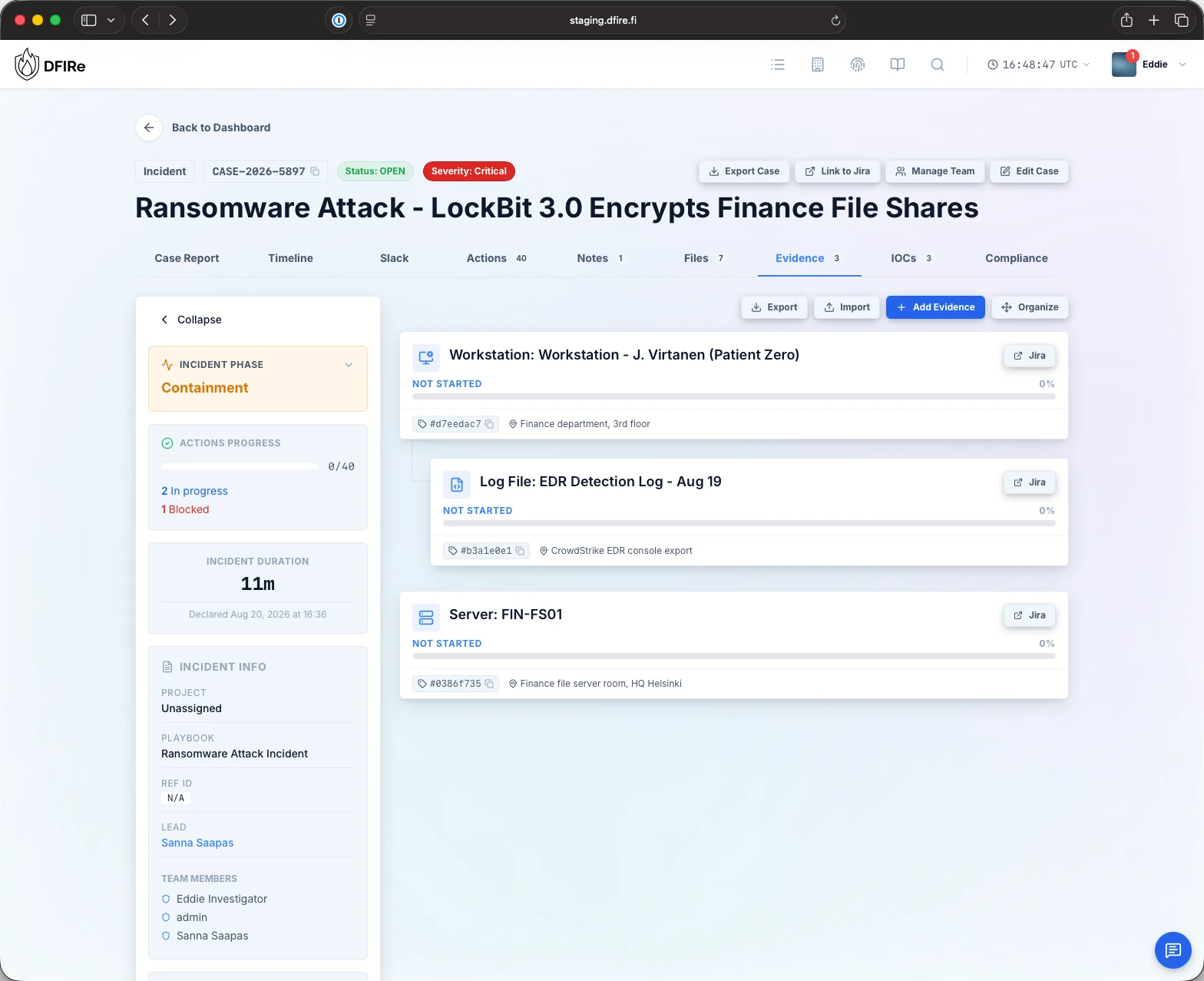
EvidenceCollect
Put the evidence on the record.
Add each item with its type, location and attributes, in a hierarchy that shows what came from where. DFIRe encrypts files with AES-256 under keys per case and per item, and hashes every custody handover into a chain.
Indicators go into a registry shared across cases, so a second sighting shows at once. Enrichment runs with your own keys for VirusTotal, AbuseIPDB, GreyNoise, Shodan and eight more providers.
DFIRe records evidence, indicators, phase changes and completed actions on the timeline as they happen. Add entries for what happened outside DFIRe, and hide the ones that do not belong in the report.
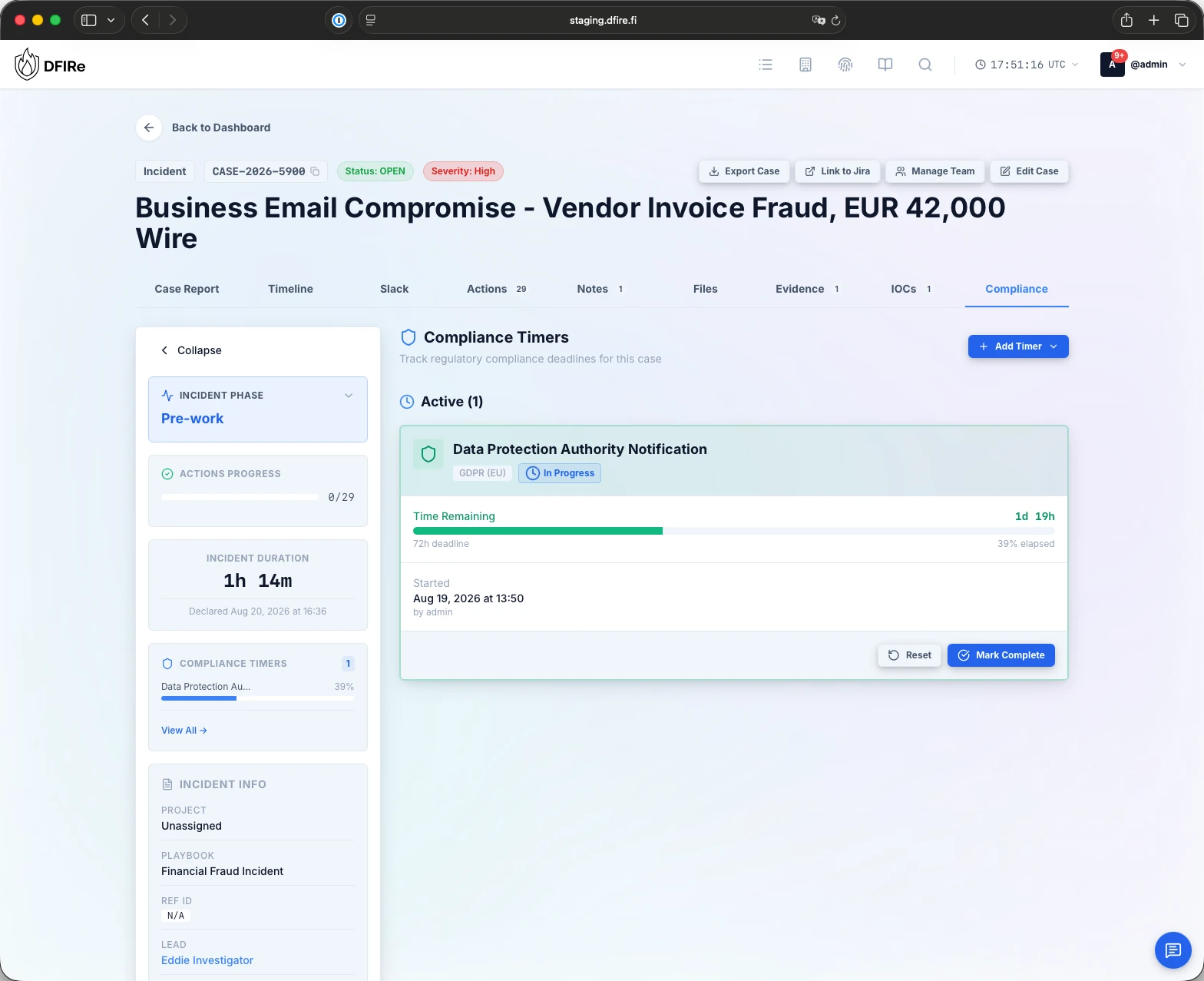
Start a timer for each notification you owe, such as the 72 hours GDPR gives you to notify the data protection authority. The case shows the time left, and a reminder goes out while it still matters.
DFIRe generates the title page, the timeline, the indicators and the evidence inventory from the case. Each written section goes through QA on its own, and an LLM you choose can draft a section if you switch it on.
Case ReportTimelineActions 40NotesEvidenceIOCsCompliance
Investigation reportReport version 0.4 · DraftQA CompletedReady for QADraft
1Title pageGenerated from case data
2Executive summaryAI draftReady for QAQA Completed
3TimelineGenerated from case data
4Indicators of compromiseGenerated from case data
5Evidence inventoryGenerated from case data
6Findings and root causeDraft
7RecommendationsQA Completed
AAppendices2 notes
Executive summaryMarkdown
On 20 August 2026 at 16:36 UTC the finance department reported encrypted file shares and a LockBit 3.0 ransom note. The response team isolated the affected network segments within the hour and preserved the patient zero workstation for imaging.
Case ReportTimelineActions 40NotesEvidenceIOCsCompliance
Actions progress13 / 40Add Action
Mark doneResetBlock known attacker C2 infrastructure at perimeterContainmentAssigned to Network OperationsStarted by Eddie Investigator
UnblockIsolate backup systems from network (air-gap if possible)ContainmentWaiting on: backup vendor to confirm the replication scheduleAssigned to Sanna Saapas
StartDisable all privileged accounts until credential hygiene is verifiedContainmentNot started
ResetDisconnect affected network segments from internetContainmentAssigned to Eddie Investigator
Added to the timelineAction completed: Block known attacker C2 infrastructure at perimeter
Case ReportTimelineActions 40NotesEvidenceIOCsCompliance
Investigation reportReport version 0.4 · DraftQA CompletedReady for QADraft
1Title pageGenerated from case data
2Executive summaryAI draftReady for QAQA Completed
3TimelineGenerated from case data
4Indicators of compromiseGenerated from case data
5Evidence inventoryGenerated from case data
6Findings and root causeDraft
7RecommendationsQA Completed
AAppendices2 notes
Executive summaryMarkdown
On 20 August 2026 at 16:36 UTC the finance department reported encrypted file shares and a LockBit 3.0 ransom note. The response team isolated the affected network segments within the hour and preserved the patient zero workstation for imaging.
PrintFinalize report
Phase and duration
01 / 07
02Chain of custody
Tamper-evident chain of custody.
DFIRe hashes every custody entry together with the one before it. Change one field and every hash after it changes, so an alteration shows instead of passing silently.
SHA-256 over the whole entry. The hash covers parties, times, location, purpose, condition and notes, and links to the entry before.
Checked each time it opens. A failed check names the entry and stops further transfers for that item.
Verifiable without DFIRe. Export the chain as JSON and check it with a short Python script. It needs no access, credentials or network.
All features are included in one licence. Click the parts below to see their documentation.
Enriched and shared indicators
Keep indicators on the case and in a registry across cases, so a second sighting is obvious. Enrich them with your own keys, then publish to your threat intelligence platform over TAXII 2.1 or as a MISP feed.
Coordinate in Slack and sync with Jira Cloud both ways. The REST API is open to your integrations, so external systems can create cases, indicators, evidence items and other records in DFIRe.
The script walks through the configuration and starts DFIRe. Production binds to localhost, behind your own HTTPS reverse proxy. Plain HTTP on port 8080 is an explicit choice for evaluation.
Sign in and open a case
The quick start covers first sign-in and your first case. Air-gapped and custom deployments start from the deployment guide.
Training for your team: live online workshops for analysts and for administrators.Training workshops
Questions
Before you buy
Anything else, ask us. We answer by email, usually within two working days.
What does one licence cover?
One production installation of DFIRe, with unlimited users, unlimited cases and every feature.
How does the trial work?
Every installation starts with a 90-day trial. Install DFIRe, run real cases with your team, and buy a licence by invoice or by card when you decide to keep it.
Can DFIRe run in an air-gapped network?
Yes, with an offline licence. By default, DFIRe checks its licence online and needs to reach the DFIRe licence server. An offline licence removes that connection. The deployment guide covers installing without internet access.
Where does our case data live?
On your own infrastructure. DFIRe is self-hosted only, you choose the database and the storage backends, and the vendor has no access to your instance.
Who qualifies for a free licence?
Individuals, students, educators, small charities and volunteer efforts doing non-commercial work can ask. We grant them case by case. Read the details.
Do you offer training?
Yes. A four-hour live online workshop for analysts, and a shorter one for administrators. See the curriculum and prices.
Put every incident on the record.
Install it on your own hardware and run a real case this week. There are no seat counts to declare, and no case data leaves your network.